
Modern platform teams are under constant pressure to give developers fast, secure, and consistent development environments—without exploding infrastructure costs or operational complexity. Coder, when deployed on Cloud Foundry, offers a powerful way to deliver cloud-based development environments that feel local, scale effortlessly, and stay compliant with enterprise standards.
This post walks through how to run Coder on Cloud Foundry—from architecture and deployment to real-world developer and platform use cases.
What is Coder?
Coder is a platform for cloud development environments (CDEs). Instead of running IDEs and tooling on a developer’s laptop, Coder provisions full development environments in the cloud—accessible via browser or local IDEs like VS Code.
Each developer workspace is:
- Ephemeral or persistent (your choice)
- Isolated and secure
- Defined as code
- Reproducible across teams
With Coder, “it works on my machine” becomes a thing of the past.
Why Deploy Coder on Cloud Foundry?
Cloud Foundry already excels at:
- Secure application runtime
- Identity and access management
- Networking and routing
- Enterprise governance
By deploying Coder’s Control Plane on Cloud Foundry, platform teams can reuse these strengths while extending the platform to cover the entire developer lifecycle, not just app runtime.
In this model:
- Coder Control Plane runs as a Cloud Foundry application
- Developer workspaces are provisioned and managed by Coder
- Secure HTTPS connectivity ties developers, the control plane, and workspaces together
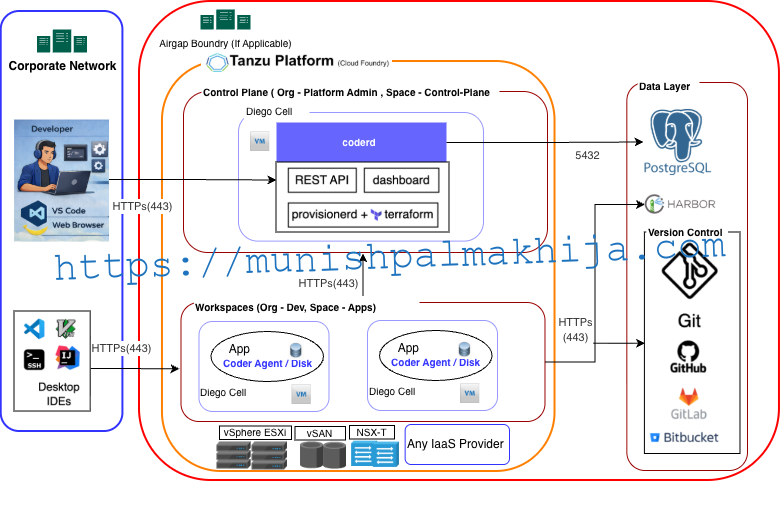
High-Level Architecture
At a high level, the deployment looks like this:
- Developers connect using:
- Web browsers
- Local IDEs (VS Code, JetBrains, SSH)
- The Coder Control Plane runs on Cloud Foundry and provides:
- REST APIs
- Web dashboard
- Workspace lifecycle management
- Workspaces run as isolated environments (containers or VMs, depending on your setup)
- All communication happens over HTTPS and integrates with enterprise identity systems
Cloud Foundry acts as the secure foundation for operating Coder at scale.
Key Features
1. Cloud-Native Developer Workspaces
Developers get preconfigured environments with:
- Languages (Java, Node.js, Python, Go, etc.)
- Build tools and CLIs
- Debuggers and extensions
Everything is consistent, versioned, and reproducible.
2. Workspace-as-Code
Workspaces are defined using declarative templates:
- Version-controlled
- Reviewed the like application code
- Easy to evolve over time
This allows platform teams to standardize environments while still giving teams flexibility.
3. Secure by Default
When deployed on Cloud Foundry, Coder benefits from:
- HTTPS-only access
- Platform-managed routing
- Integration with SSO and identity providers
- Strong isolation between workspaces
This is especially valuable in regulated or enterprise environments.
4. IDE Flexibility
Developers are not locked into a single interface:
- Browser-based IDE access
- VS Code desktop via Coder extensions
- SSH for advanced workflows
Same workspace, multiple ways to work.
5. Faster Onboarding
New developers can go from zero to productive in minutes:
- No local setup
- No dependency conflicts
- No lengthy documentation to follow
Access is all they need.
6. Platform Team Control
Platform teams retain full control over:
- Base images and tooling versions
- Network access
- Resource usage
- Security policies
All without micromanaging individual laptops.
Common Use Cases
1. Enterprise Developer Onboarding
Provision ready-to-use environments for new hires on day one:
- No laptop setup delays
- No environment drift
- Built-in security and compliance
2. Secure Development for Regulated Industries
Ideal for environments where:
- Source code must never leave the data center
- Developer machines are untrusted
- Auditing and access control are mandatory
Cloud Foundry + Coder provides strong guardrails.
3. Standardized Microservices Development
Ensure every microservice team:
- Uses the same toolchain versions
- Follows the same base images
- Matches production closely
This dramatically reduces integration issues.
4. Temporary or Ephemeral Environments
Spin up workspaces for:
- Short-lived feature branches
- Incident response
- Proofs of concept
Tear them down automatically when done.
5. AI-Assisted Development with Cursor
Enable AI-powered development while keeping source code and data inside the enterprise platform:
- Developers use Cursor as their AI-enabled editor connected to remote Coder workspaces
- All source code, dependencies, and build artifacts remain within Cloud Foundry–managed environments
- Cursor provides AI-assisted capabilities such as code completion, refactoring, explanations, and test generation
- Platform teams standardize tooling, dependencies, and access policies through Coder workspace templates
- Developers can create ephemeral, AI-enabled workspaces for experimentation without impacting shared environments
This approach allows teams to adopt AI-assisted development safely, combining Cursor’s productivity gains with Cloud Foundry’s security and governance.
7. CI/CD Pipelines and Testing Environments
Use Coder workspaces as consistent, production-like environments for building, testing, and validating applications:
- Developers and CI systems use the same workspace templates, eliminating differences between local, CI, and runtime environments
- Workspaces include pre-installed build tools, test frameworks, and CLIs aligned with pipelines
- Teams can spin up ephemeral test environments for pull requests, feature branches, or bug fixes
- Automated and manual tests run against identical dependencies and configurations
- Failed builds and tests are easier to reproduce by launching the same workspace locally
This improves pipeline reliability, reduces flaky tests, and tightens the feedback loop between development and CI/CD.
Why Platform Engineers Love This Setup
Deploying Coder on Cloud Foundry aligns perfectly with platform engineering goals:
- Self-service for developers
- Centralized control for operators
- Security without friction
- Scalable, cloud-native architecture
It turns Cloud Foundry into not just an application platform—but a complete developer platform.
Deploying Coder on Cloud Foundry
Coder can be deployed on Cloud Foundry as a containerized application using its Docker image. This approach allows platform teams to run the Coder Control Plane using familiar Cloud Foundry constructs such as routes, environment variables, and application lifecycle management.
This section walks through a simple deployment using the cf CLI.
Prerequisites
Before deploying Coder, ensure that:
-
You have access to a Cloud Foundry foundation
-
The
cfCLI is installed and authenticated -
Cloud Foundry is configured to pull Docker images (public or private registry)
-
An external PostgreSQL database is available for Coder persistence
Step 1: Define the Application Manifest
Create a manifest.yml file to describe the Coder Control Plane deployment:
|
applications: |
Adjust memory, routing, and database values based on your environment and expected usage.
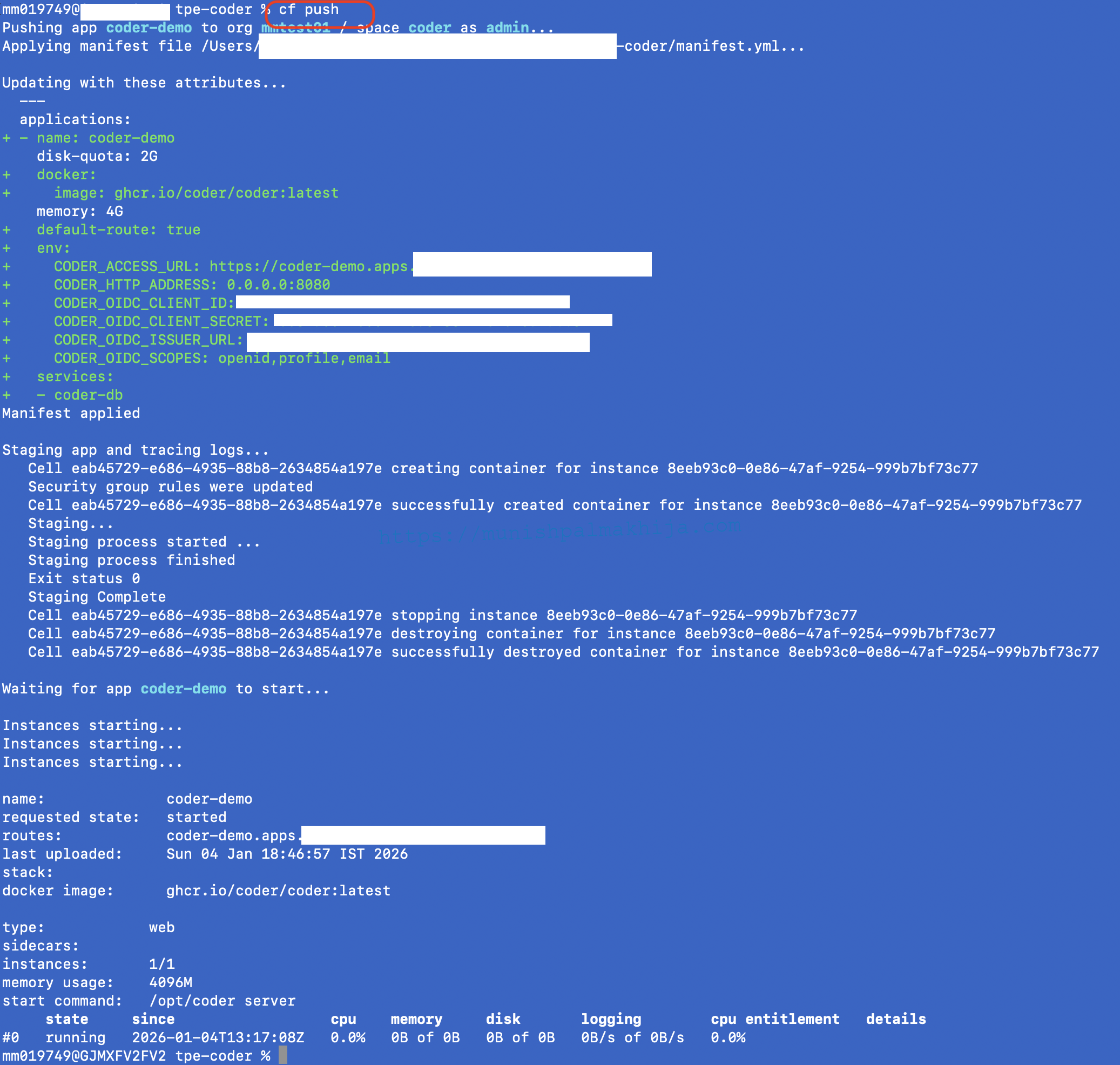
Step 2: Push the Application Using cf CLI
Deploy the Coder Control Plane:
Cloud Foundry will pull the Docker image, create the application container, and expose it securely via HTTPS routing.
Step 3: Validate the Deployment
Once the application is running:
-
Access the Coder UI using the configured route
-
Configure authentication (OIDC, SSO, or local users)
-
Verify database connectivity and application health
At this point, the Coder Control Plane is live on Cloud Foundry.
Optional: Creating a PostgreSQL Database Using Tanzu Postgres on Cloud Foundry
Coder requires a persistent PostgreSQL database to store state, users, templates, and workspace metadata. If your Cloud Foundry foundation already has the Tanzu Postgres on Cloud Foundry tile deployed, you can easily provision and bind a managed PostgreSQL instance using the cf CLI.
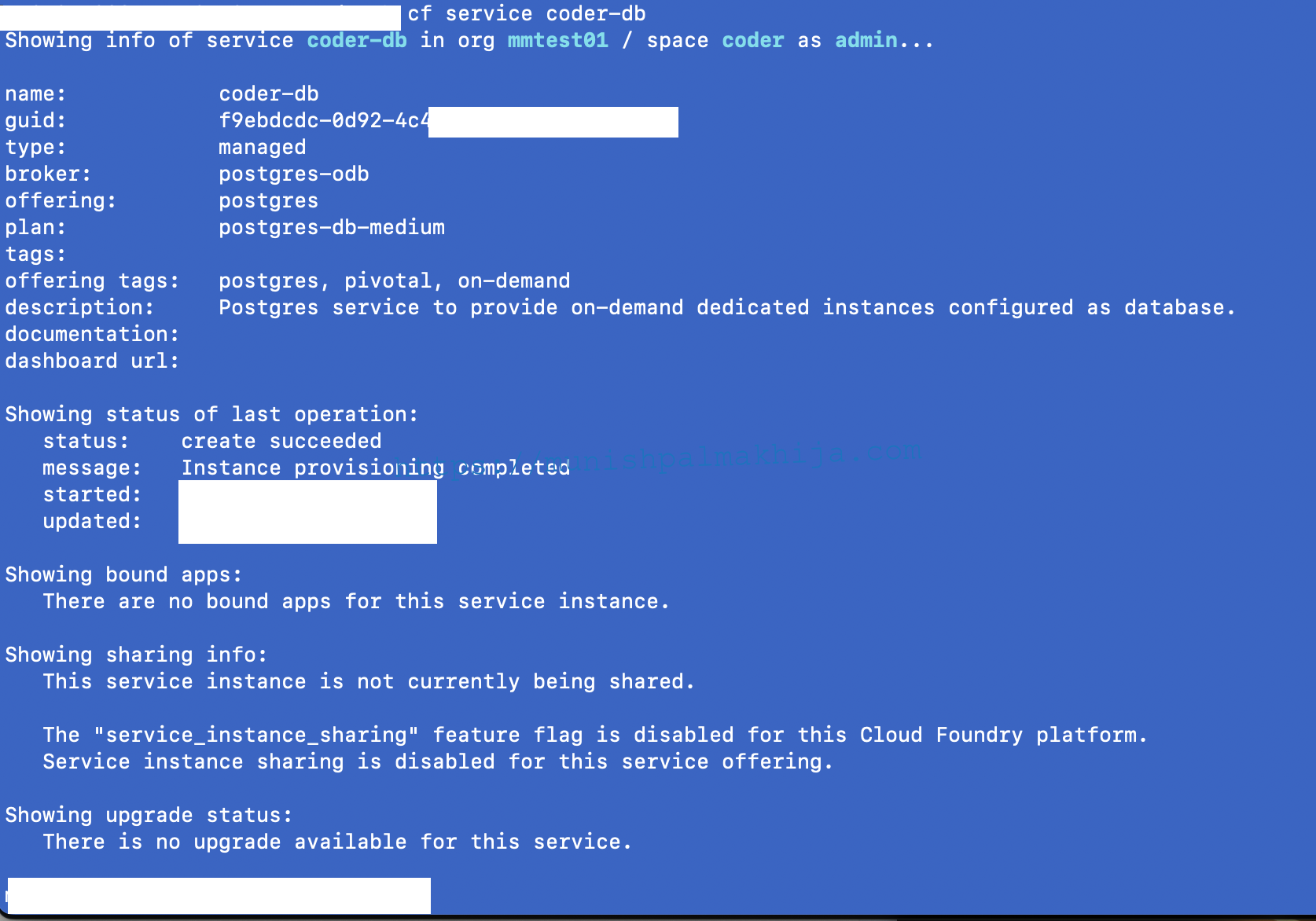
Step 1: Create a Postgres Service Instance
Create a PostgreSQL database instance using an appropriate service plan:
Replace
postgresandsmallwith the service name and plan available in your foundation.

Step 2: Bind the Database to the Coder Application
Bind the Postgres service instance to the Coder Control Plane app:
Cloud Foundry will inject the database credentials into the application via environment variables.
Step 3: Get Postgres DB Details
Get Postgres DB details for the deployed app:
Step 4: Push Application again to connect to the DB
Push again to connec to the DB
Coder will automatically use the bound PostgreSQL instance for persistence.
Creating Users in Coder
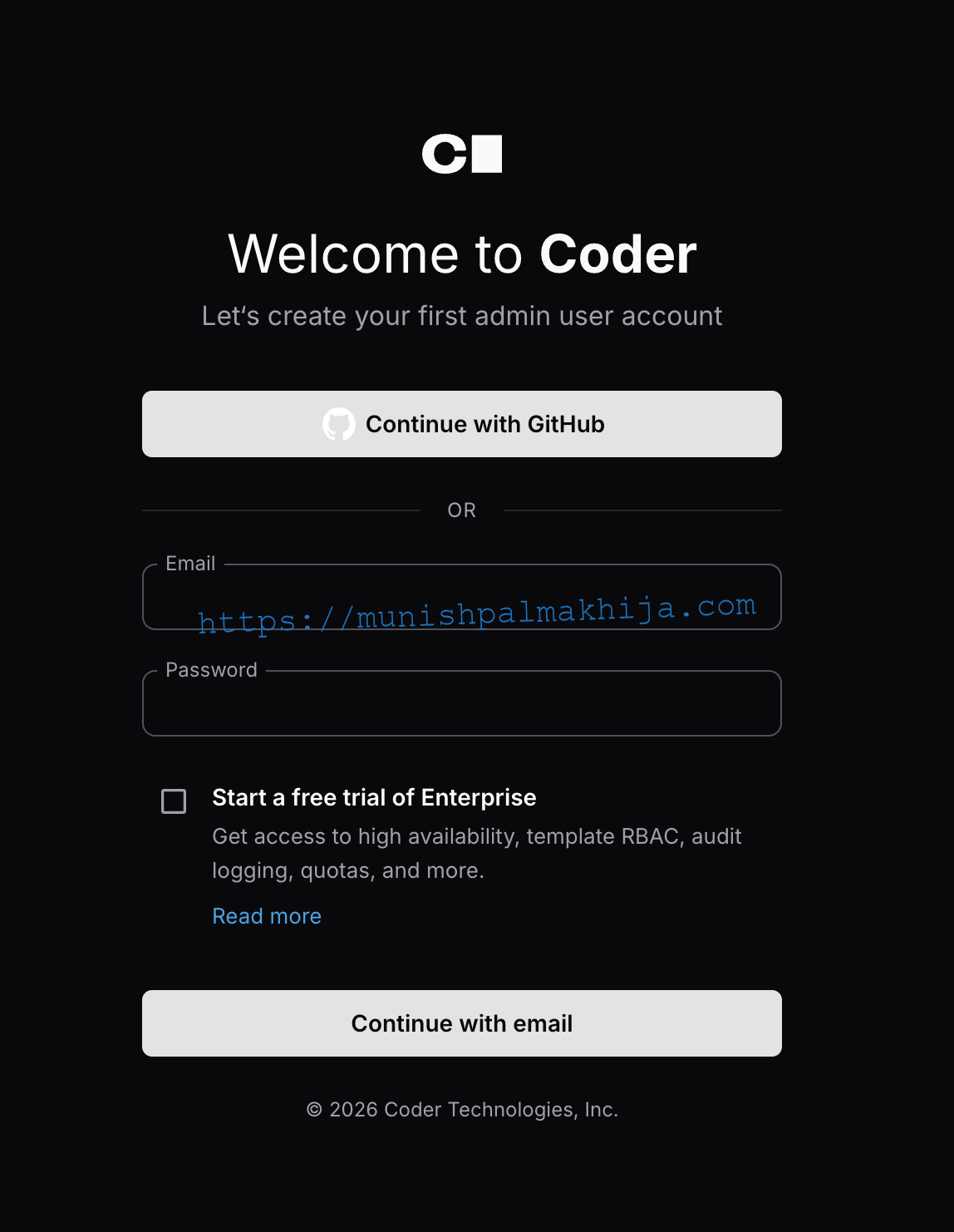
Once the Coder Control Plane is deployed and backed by a PostgreSQL database, the next step is to onboard developers by creating users
Coder supports multiple authentication models, including local users and enterprise identity providers (OIDC / SSO). The exact approach depends on how authentication is configured.
Common options include:
- SSO / OIDC integration (recommended for enterprises)
- Local users for initial setup or testing
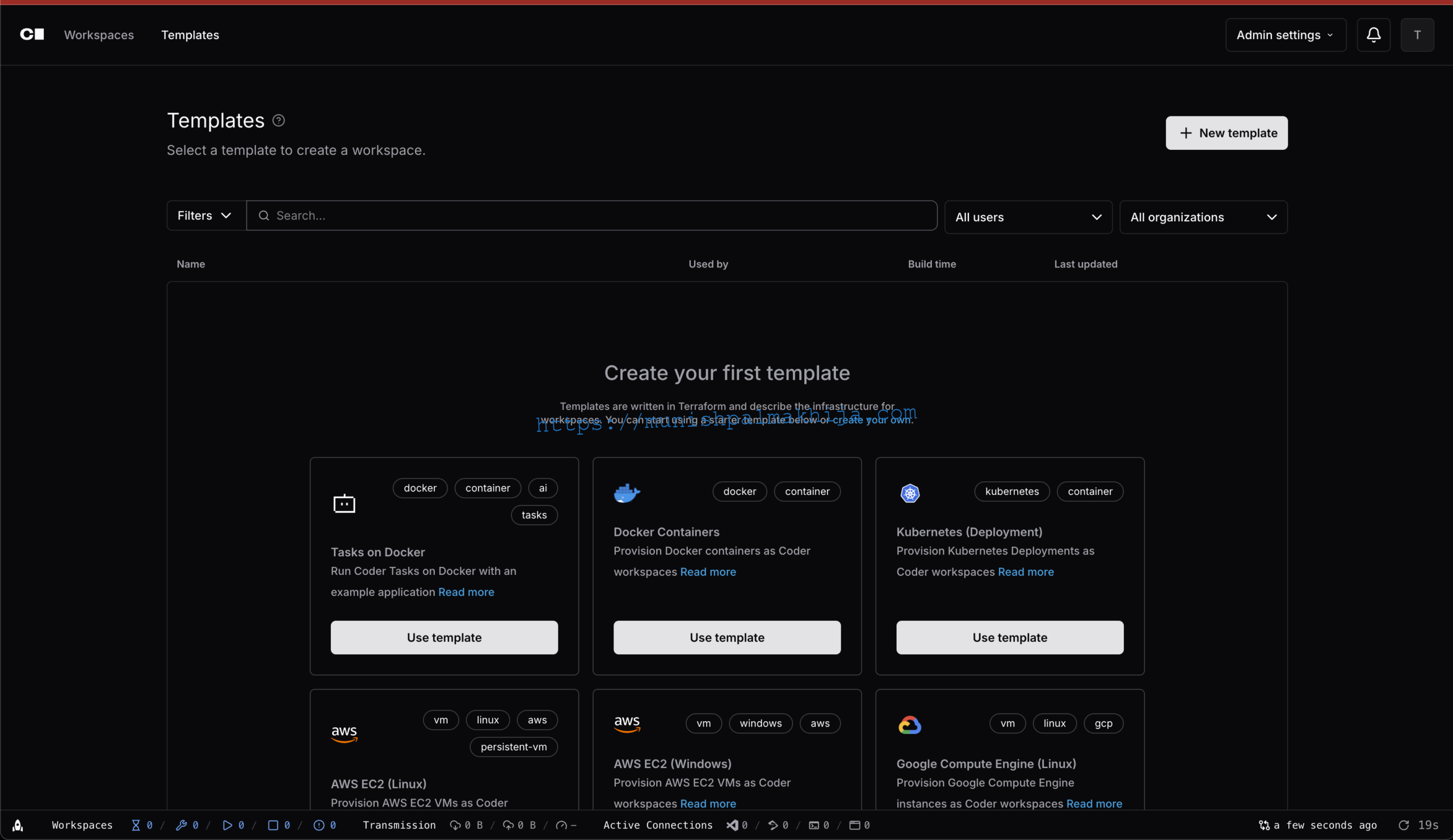
Creating Workspace Templates for Developers
Templates are the core building blocks for workspace creation. They define the tools, runtimes, and startup configuration developers will get when they provision a workspace.
Instead of creating templates from scratch, you can use the Cloud Foundry Linux workspace template (for example, cloudfoundry-linuxas a starting point. This template provisions development workspaces on Cloud Foundry infrastructure with automatic Git repository cloning
Cloud Foundry Linux Template Features
Templates has following features
- Cloud Foundry Deployment: Workspaces deployed as Cloud Foundry applications using buildpacks
- Pre-installed Development Tools: Multiple CLI tools automatically installed and configured:
- Tanzu CLI: VMware Tanzu command-line interface
- Helm: Kubernetes package manager
- CF CLI: Cloud Foundry command-line interface
- BOSH CLI: BOSH deployment and lifecycle management
- OM CLI: Operations Manager command-line interface
- GitHub CLI: GitHub command-line interface
- JFrog CLI: JFrog command-line interface for Artifactory and Xray
- IDE Support: Multiple IDE options available:
- code-server: Browser-based VS Code running on port 13337
- Cursor IDE: AI-enhanced IDE via Cursor Desktop
- JetBrains Gateway: Connect JetBrains IDEs (IntelliJ IDEA, PyCharm, WebStorm, etc.) to the workspace
- Automatic Git Cloning: Automatically clones self-hosted Git repositories with API token authentication
- Branch Support: Supports cloning specific branches from Git repositories
- code-server: Browser-based VS Code running on port 13337
- Coder Agent: Automatic connection to your Coder server for workspace management
- Persistent Storage: Files in
/home/vcappersist across workspace restarts
To use this template:
-
Clone the template repository or add it as a subfolder in your corporate template repo.
-
In the Coder dashboard, navigate to Templates.
- Choose Create Template > Upload Template and point to the
cloudfoundry-linuxtemplate zip file location.

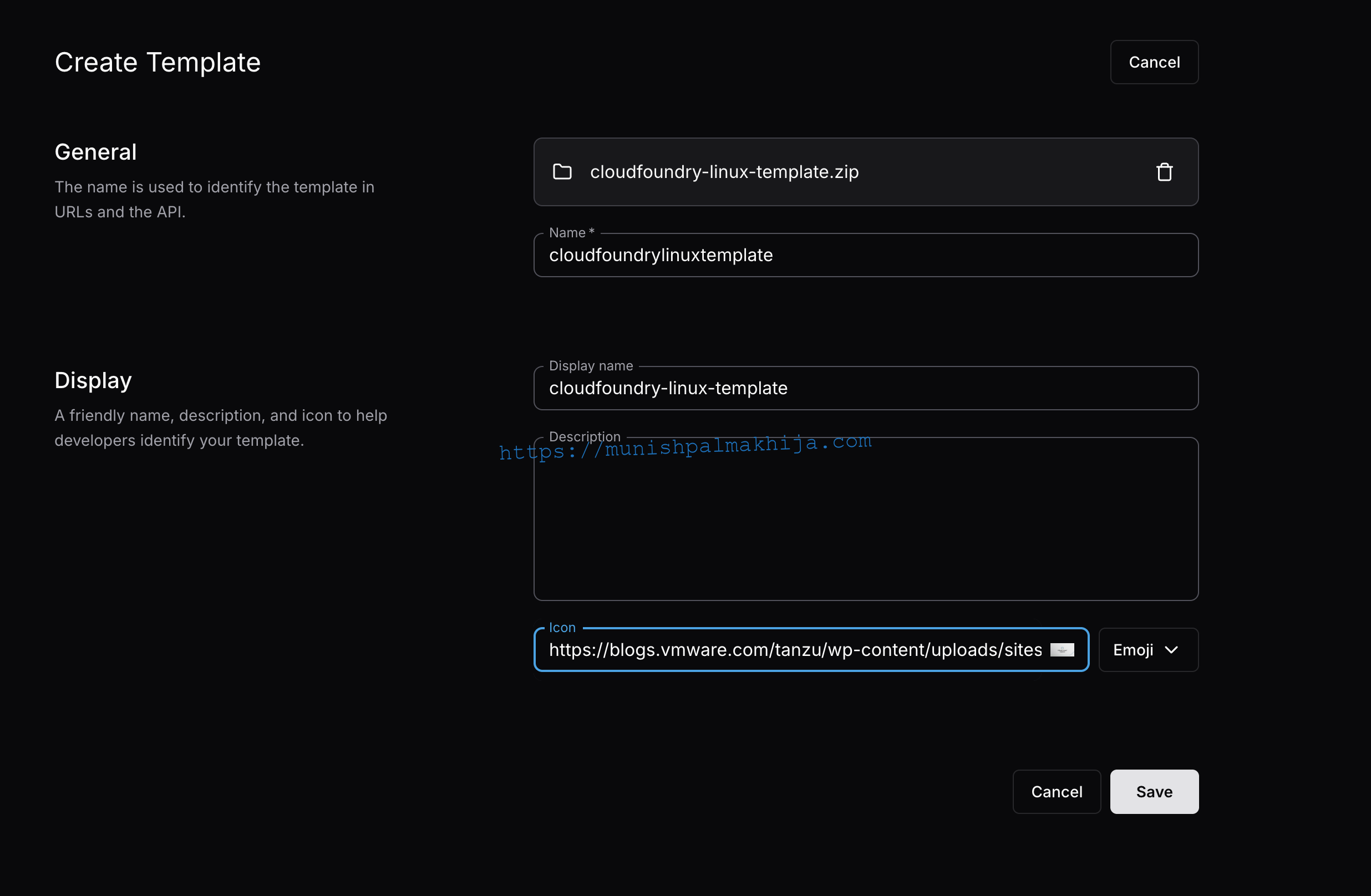
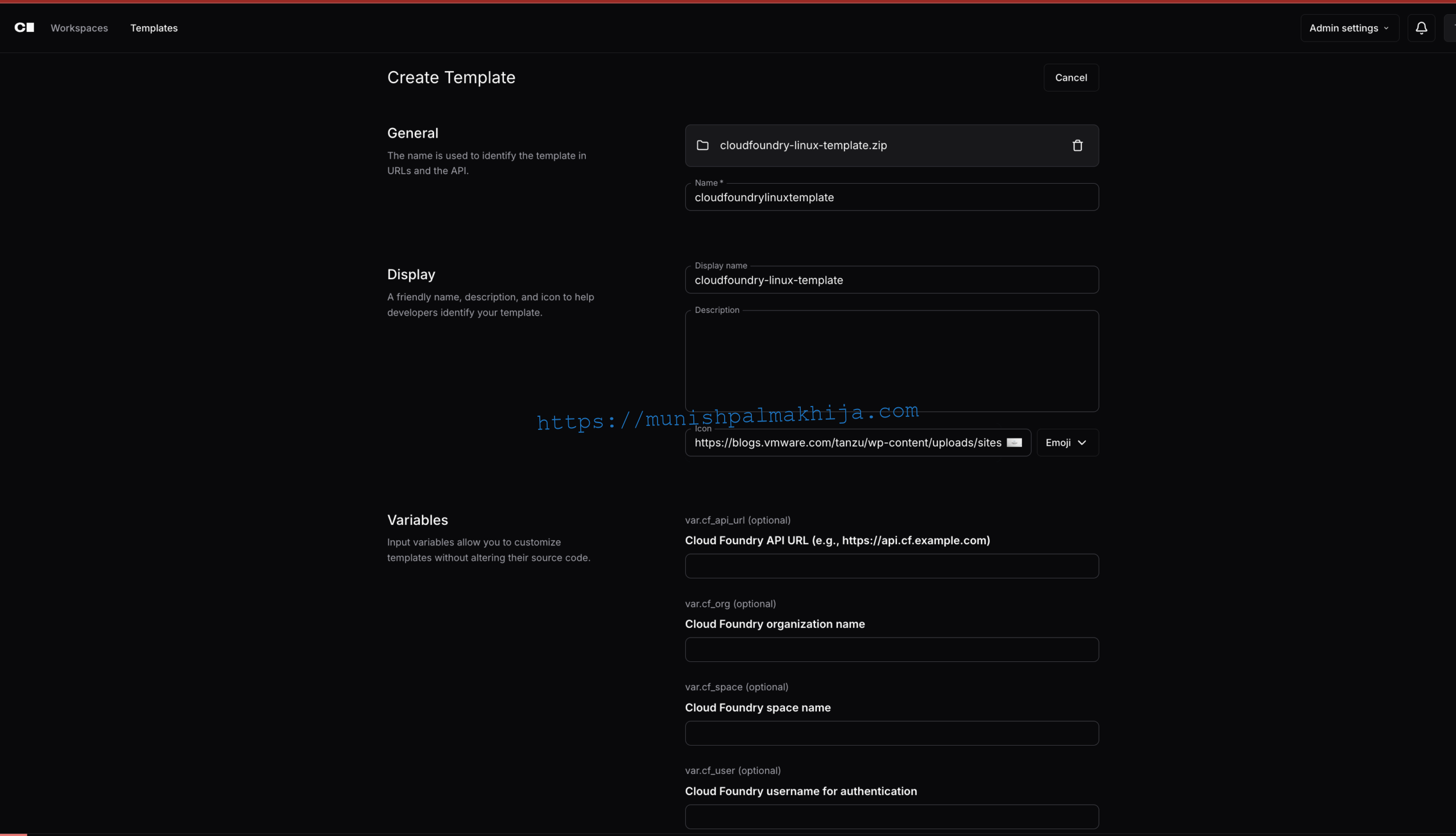
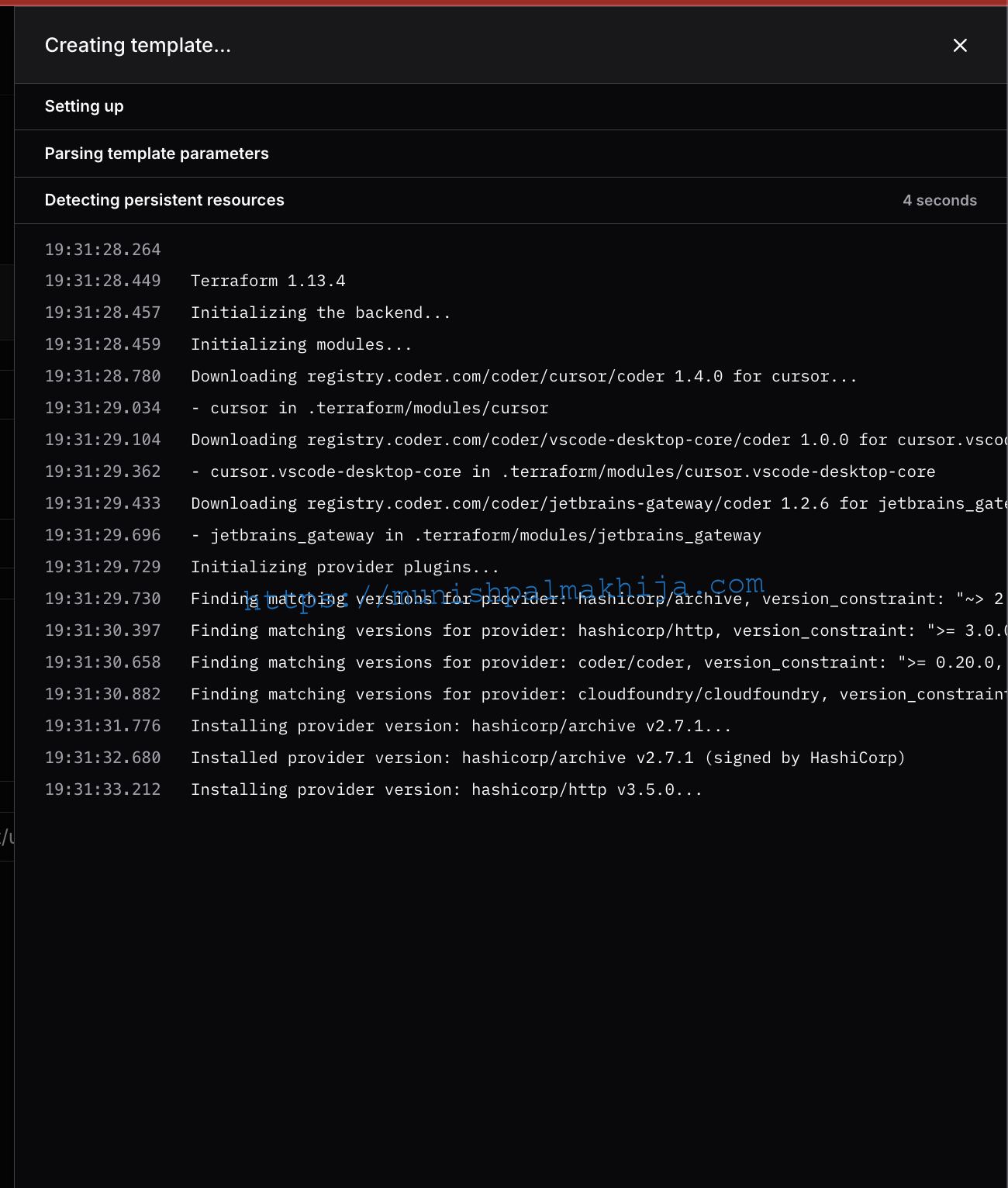
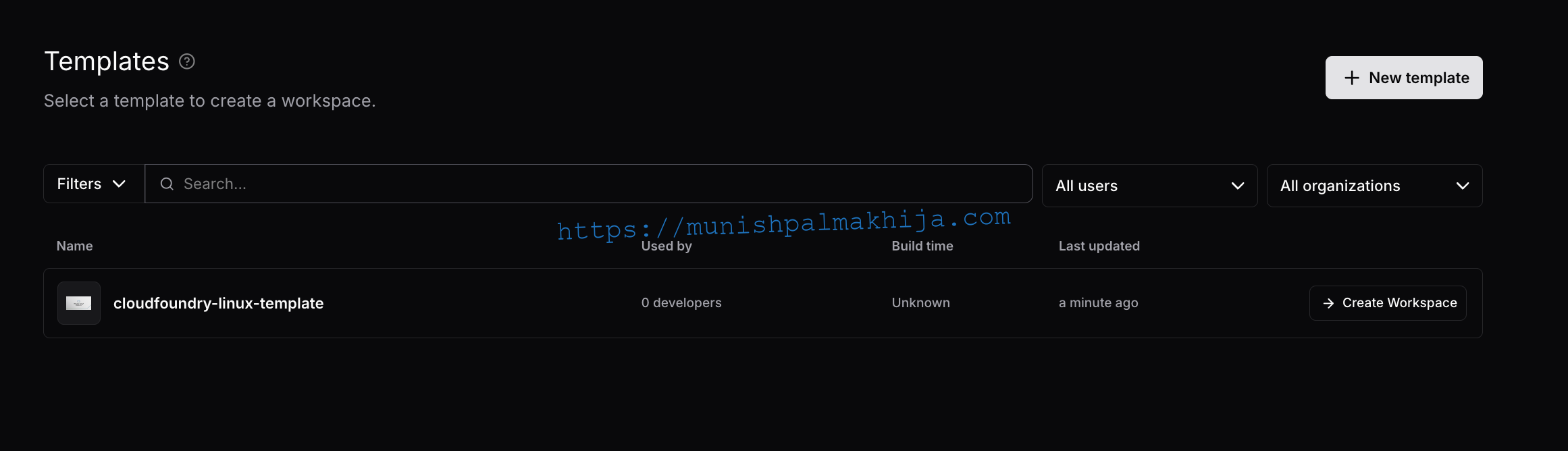
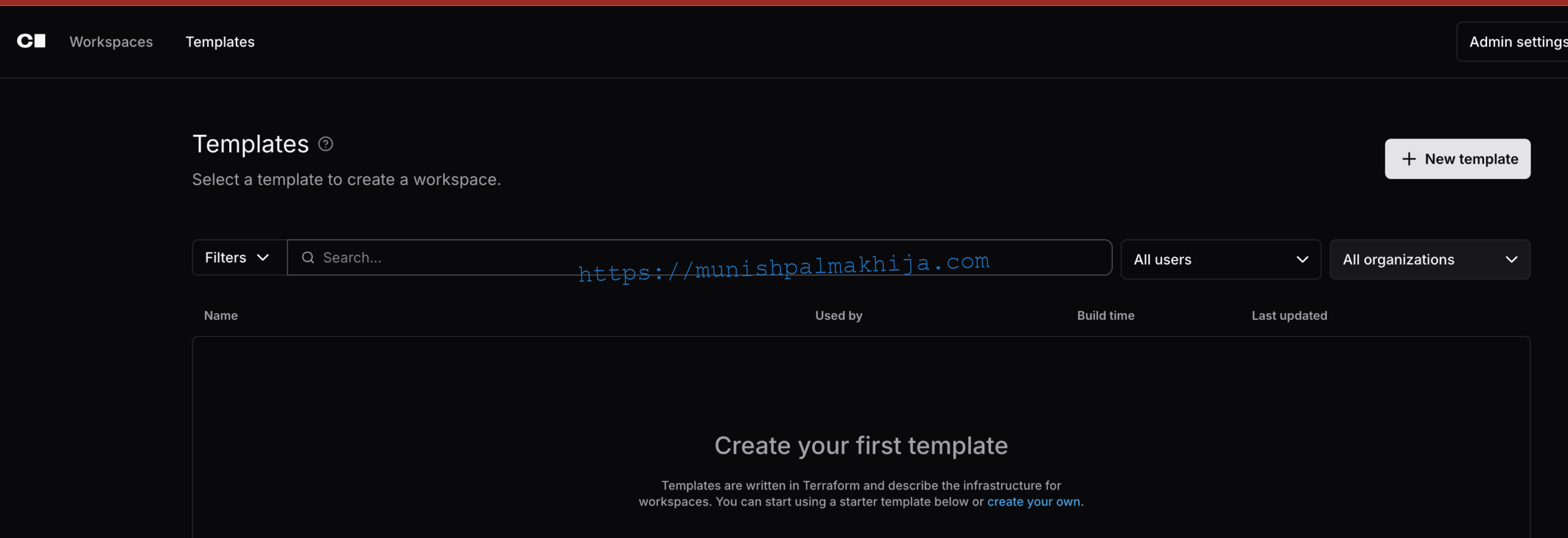
Once the template is added, developers can create new workspaces based on it.
Provisioning Workspaces
After templates are in place:
-
A developer logs in to the Coder UI.
-
They select the Cloud Foundry Linux Dev Environment template.
-
They launch a workspace with a predefined set of tools (e.g., shell, editor, SDKs).
-
They connect using a browser-based IDE, VS Code, or Cursor.
This lets developers instantly spin up standardized, Cloud Foundry–aligned environments without local setup.
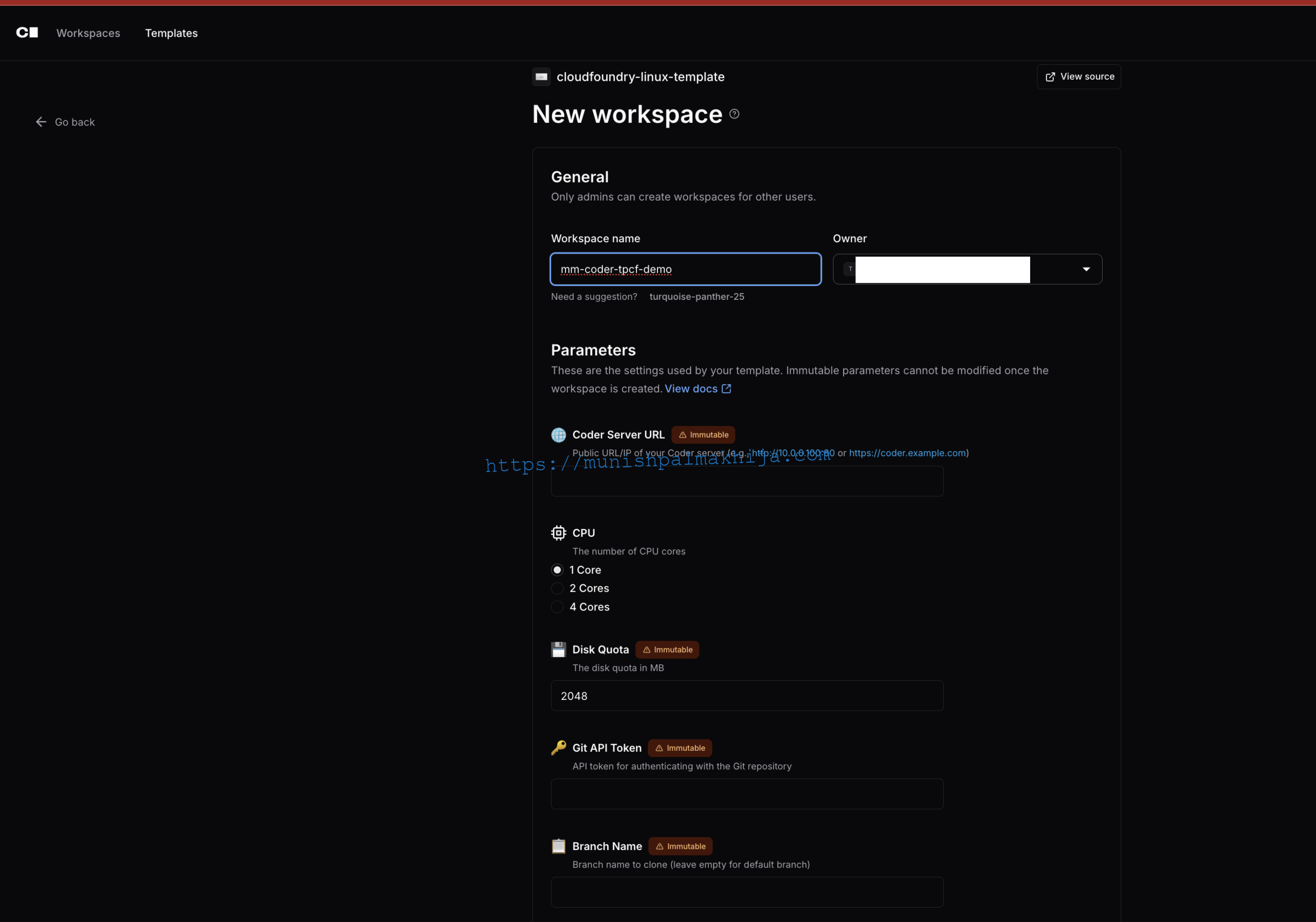
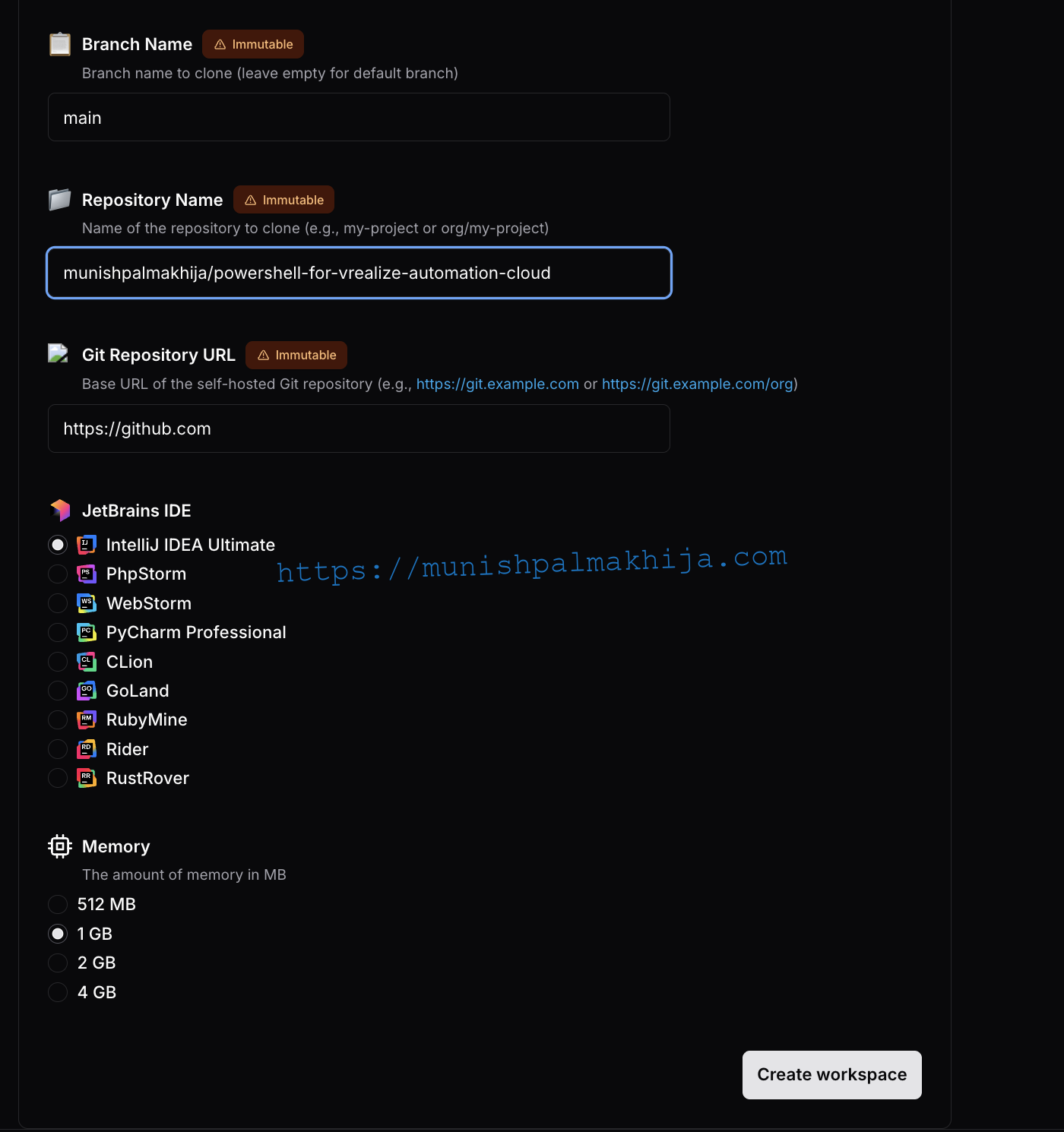
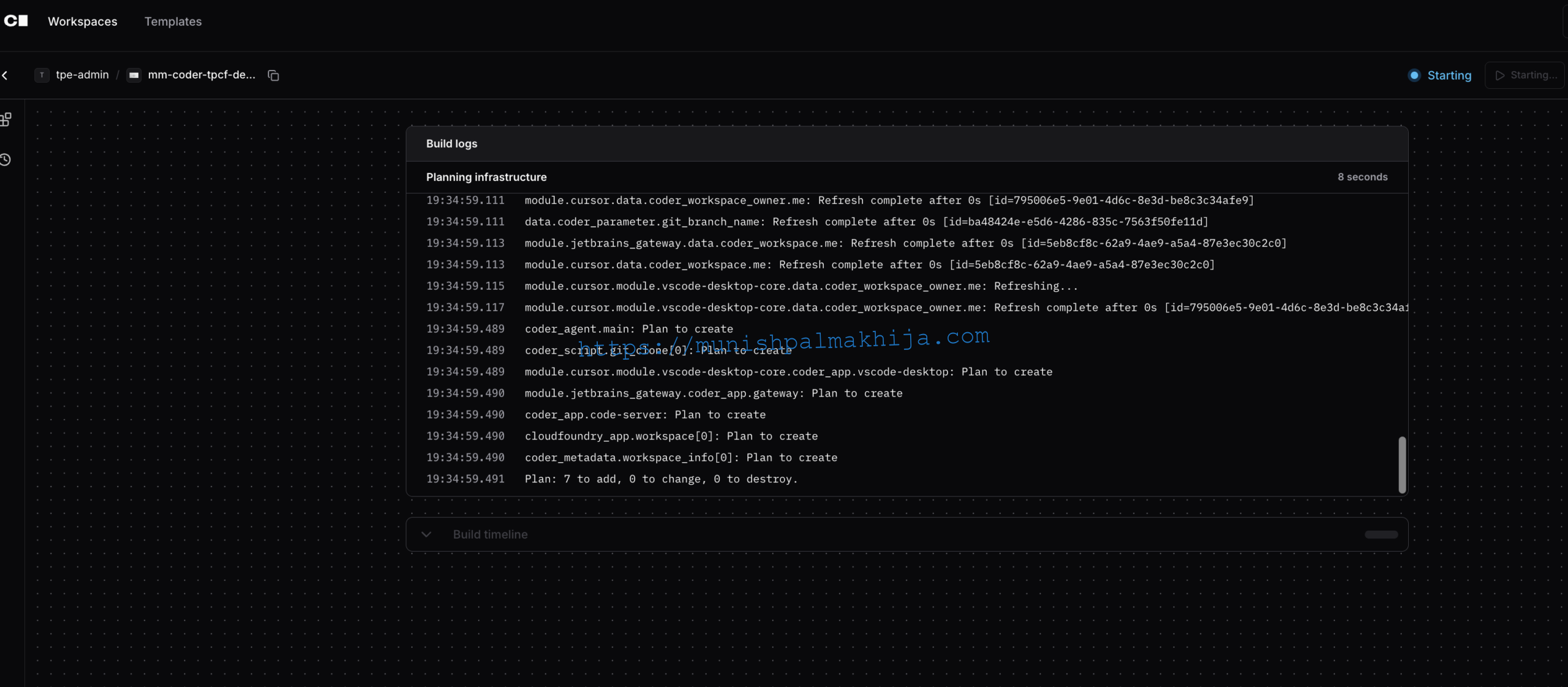
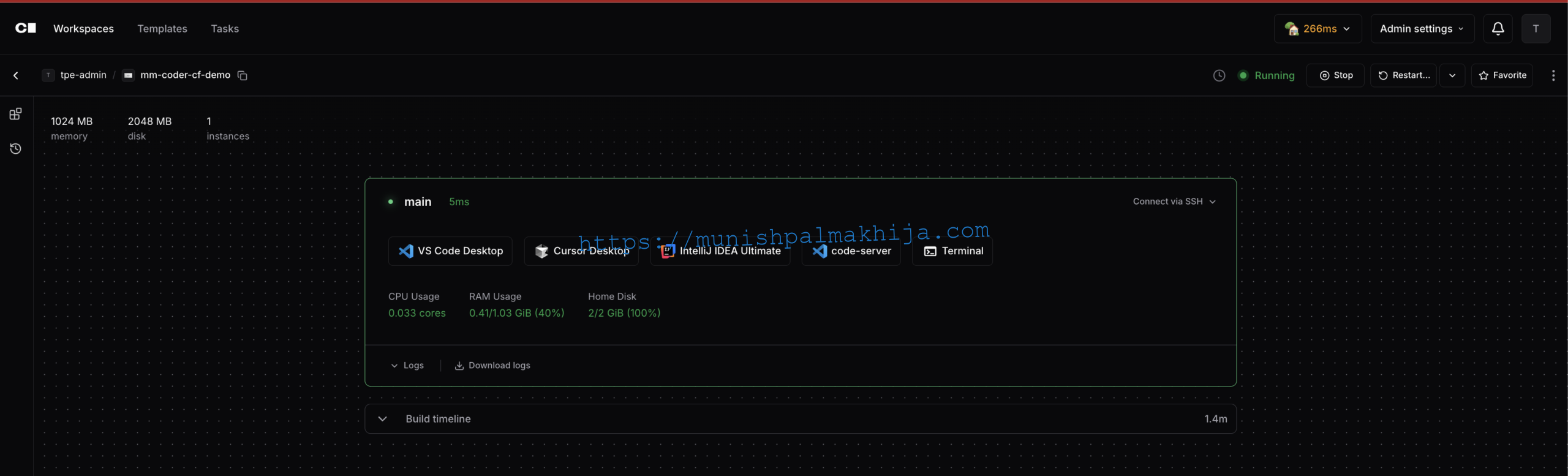
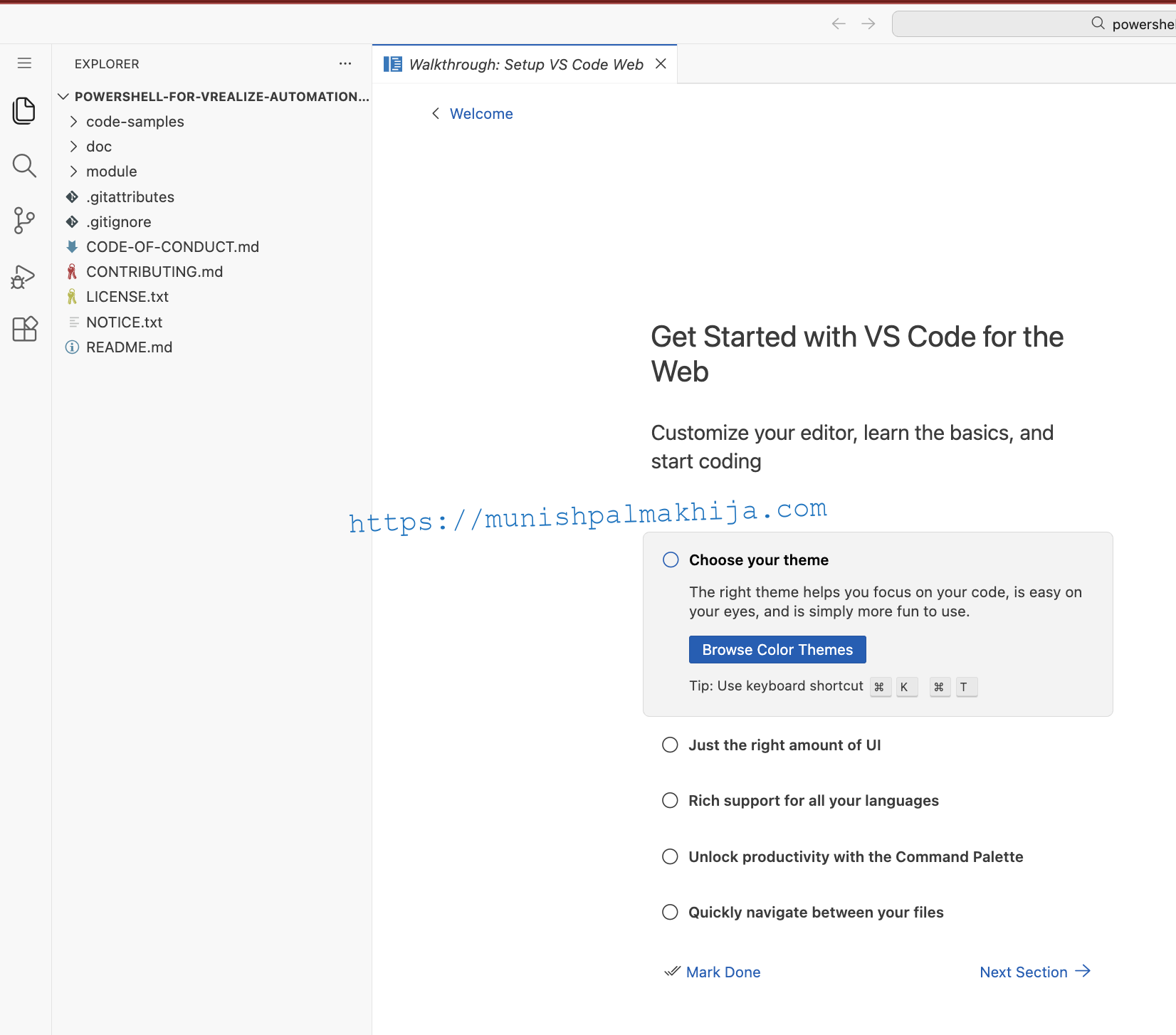
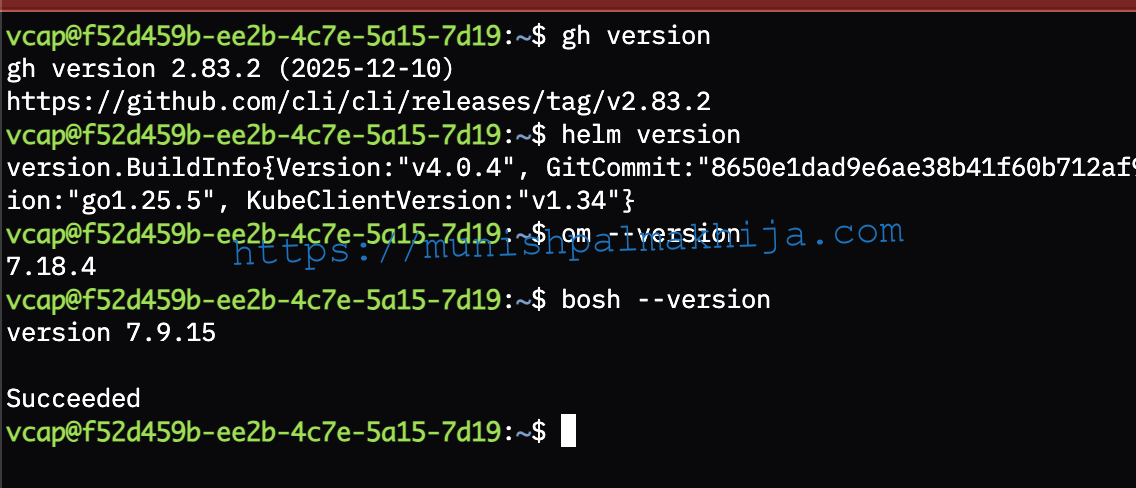
In Cloud Foundry, you will have 2 Applications (Coder Control Plane and Coder Workspace)

Final Thoughts
Coder extends Cloud Foundry beyond runtime into the developer experience itself. By hosting the Coder Control Plane on Cloud Foundry, organizations can deliver modern cloud development environments that are fast, secure, and consistent—without sacrificing enterprise governance.
If your goal is to improve developer productivity while maintaining platform standards, Coder on Cloud Foundry is a compelling next step.